
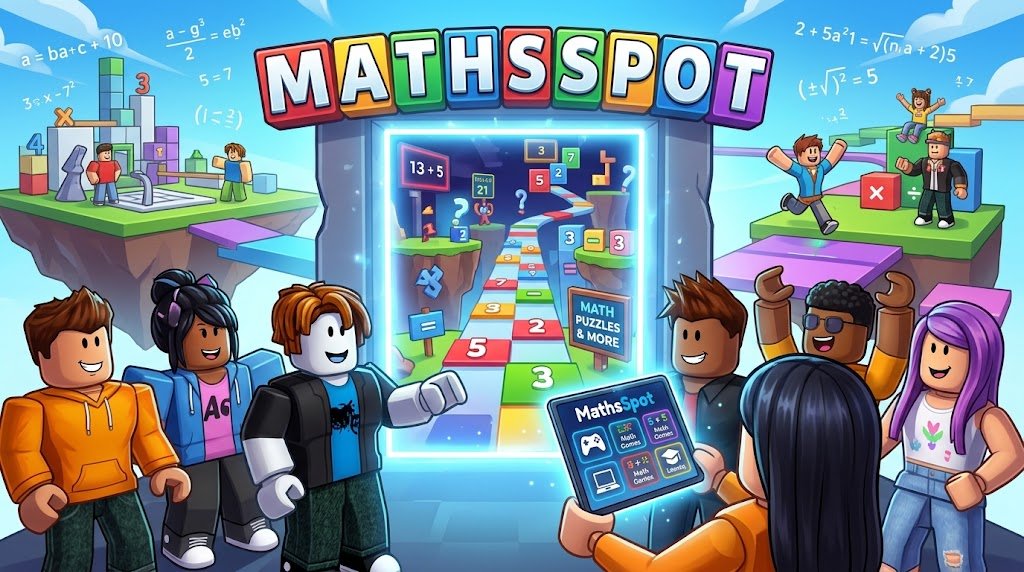
Mathsspot is a cloud-based gaming website cleverly disguised as an educational mathematics portal, primarily used by students and employees to bypass strict network restrictions and play popular games like Roblox. By leveraging cloud streaming technology, the platform allows users to play resource-heavy games directly in their web browser without downloading any files or installing dedicated applications.
If you have ever tried to access your favorite gaming platforms on a school Chromebook or a corporate network, you already know the frustration of encountering a firewall block screen. Network administrators use powerful filtering software to lock down entertainment sites, leaving users with very few options during their downtime. This is exactly where platforms like this come into play.
In this highly comprehensive guide, we will break down exactly how this platform works, why it has massive appeal, the underlying technology that powers it, and the crucial safety steps you must take before logging into any third-party unblocked gaming site.
What Exactly is Mathsspot?
To the untrained eye, the website looks like a standard, somewhat outdated educational resource page. However, beneath the surface lies a powerful proxy and cloud gaming gateway.
The Clever Educational Disguise
The internet is full of “unblocked game” sites, but network administrators catch on to them quickly. If a URL contains words like “games,” “play,” or “arcade,” school and corporate firewalls will automatically blacklist it. The creators of Mathsspot bypassed this issue by wrapping their gaming portal in an educational domain name and landing page. When a teacher or IT admin glances at the browser tab or the network log, they see a student accessing a math-related site. This camouflage is a classic tactic in the cat-and-mouse game of web filtering.
How Cloud Gaming Powers the Platform
The real magic behind the platform is cloud gaming technology. Historically, playing a game required you to download large files and rely on your computer’s internal graphics card to render the gameplay. This made gaming impossible on low-end devices like school-issued Chromebooks.
Mathsspot utilizes infrastructure similar to services like Now.gg. The actual game (like Roblox) is running on a high-powered server in a remote data center. That server processes all the heavy graphics and physics, and then streams an interactive video feed of the game directly to your web browser. When you click your mouse or press a key, that input is sent to the server in milliseconds. This allows users to play demanding 3D games on incredibly weak hardware.
Why is Mathsspot So Popular Among Students?
The massive surge in search traffic for this keyword isn’t an accident. The platform solves several major pain points for younger demographics and casual gamers.
Bypassing School and Work Network Restrictions
As mentioned, the primary draw is the ability to bypass network firewalls. Schools use software like Securly, GoGuardian, or Fortinet to block gaming domains. Because this platform masks its traffic and operates through standard web ports (HTTPS), it often slips right through these enterprise-grade filters. For a student stuck in a boring study hall, this accessibility is invaluable.
No Downloads or Installations Required
Even if a network allows gaming traffic, you usually cannot install software on a managed device. IT administrators lock down system privileges, meaning you cannot run executable files (.exe) or download apps from the Microsoft Store. Because the entire gaming experience happens inside the Google Chrome or Mozilla Firefox browser, no administrative privileges are required.
Free Access to Premium Ecosystems
While the platform itself acts as a gateway, the primary destination for 90% of its users is Roblox. Roblox is a massive ecosystem of user-generated 3D experiences. By providing a frictionless, browser-based entry point into the Roblox universe, the platform guarantees itself a massive, recurring daily user base.
How to Access and Use Mathsspot Safely
Using a cloud gaming proxy is generally straightforward, but knowing how to optimize the experience can save you a lot of frustration.
Step-by-Step Guide to Playing Games
Open a Modern Web Browser: Launch Google Chrome, Firefox, or Microsoft Edge. Ensure your browser is updated to the latest version, as cloud streaming requires modern HTML5 and WebGL capabilities.
Navigate to the Site: Type the URL into your search bar. Be careful to use the exact address, as many fake copycat sites exist that are loaded with intrusive advertisements.
Select Your Game: Navigate past the “educational” facade to the gaming section. Click on the title you wish to play (e.g., Roblox).
Log In: You will be prompted to log into your gaming account.
Optimize Your View: Press F11 to enter full-screen mode, which hides the browser tabs and makes the experience feel like a native desktop application.
Device Compatibility
One of the greatest strengths of this ecosystem is hardware agnosticism. It works perfectly on ChromeOS (Chromebooks), Windows PCs, macOS, and even mobile browsers on iOS and Android. As long as the device has a screen, an internet connection, and a web browser, it can act as a gaming terminal.
The Pros and Cons of Using Mathsspot
Like any workaround on the internet, using a cloud gaming proxy comes with distinct advantages and notable drawbacks.
The Advantages
Ultimate Accessibility: Play anywhere, anytime, regardless of network restrictions.
Hardware Independence: Run high-end games on low-end hardware. You don’t need an expensive GPU; the cloud does all the heavy lifting.
Storage Savings: Because nothing is downloaded, you save gigabytes of hard drive space.
The Drawbacks
Input Latency (Lag): Because every keystroke has to travel to a server and the video feed has to travel back, you will experience slight delays. This makes competitive, fast-paced games (like first-person shooters) difficult to play at a high level.
Reliance on Internet Speed: If the school or office Wi-Fi is slow or crowded, the video feed will become blurry, pixelated, and eventually disconnect. Cloud gaming requires a stable, fast connection to work properly.
The Whack-a-Mole Blockade: IT departments eventually catch on. A site might work on Monday and be permanently blocked by Friday, forcing users to constantly search for new unblocked alternatives.
Top Alternatives for Unblocked Games
If you find that your network administrator has finally caught on and blocked your access, you will need reliable alternatives. Here are the top platforms that offer similar functionalities.
Now.gg
This is the legitimate, corporate powerhouse behind most mobile cloud gaming. It allows you to play Android games and Roblox directly in the browser. It offers the best performance and security, though it is frequently targeted by school firewalls because it is so well-known.
CrazyGames and Poki
If you don’t need heavy 3D games and just want to pass the time, HTML5 gaming portals like CrazyGames or Poki are excellent choices. They host thousands of lightweight, instant-play games. While they don’t offer Roblox, they load instantly on any network and provide endless casual entertainment.
Tyrone’s Unblocked Games
A legendary name in the unblocked gaming community. Hosted primarily through Google Sites (which makes it very difficult for schools to block without blocking Google entirely), this platform offers a massive library of classic flash and HTML5 games.
Is Mathsspot Safe and Legal?
When using unofficial proxy sites, security should be your absolute top priority. While the act of bypassing a school network is not illegal, it does carry risks.
Data Privacy and Account Security
The biggest risk of using third-party unblocked sites is credential theft. When you log into Roblox through a proxy portal, you are trusting that the site owner is not logging your keystrokes. Some malicious copycat sites are designed specifically to steal passwords and hijack valuable gaming accounts.
Expert Advice: If you are going to use a proxy site, it is highly recommended to enable Two-Factor Authentication (2FA) on your gaming accounts. This ensures that even if a shady website intercepts your password, they cannot access your account without the secondary code from your mobile device.
Network Policies and Acceptable Use
From a legal standpoint, you are not breaking any laws by visiting a proxy site. However, you are almost certainly violating your school or workplace’s Acceptable Use Policy (AUP). If you are caught constantly bypassing firewalls, you could face disciplinary action, ranging from having your device privileges revoked to facing suspension or corporate warnings.
Troubleshooting Common Errors
Cloud gaming in a browser is not always a flawless experience. Here is how to fix the most common issues you might encounter.
Connection Timeouts and High Ping
If the game refuses to load or the lag is unbearable, the issue is usually your local network. Try moving closer to the Wi-Fi router. If you have the option, switch from the crowded 2.4GHz Wi-Fi band to the faster 5GHz band. Additionally, close all other browser tabs—having multiple YouTube or Google Drive tabs open will consume the RAM and bandwidth your game desperately needs.
What to Do If the Site Gets Blocked
If you see a “Site Cannot Be Reached” or a filter warning screen, the network admin has blacklisted the domain. You have two options: use a VPN (Virtual Private Network) if your device allows it, or simply wait for the community to release a new “mirror” link. Developers frequently register new domain names to stay one step ahead of the web filters.
The Future of Cloud Gaming and Network Filters
The battle between web filters and cloud gaming is an ongoing digital arms race. As internet speeds globally continue to increase, browser-based gaming is going to become the standard rather than the exception. We are moving toward a future where the hardware in your hands matters much less than the speed of your connection.
Network administrators will increasingly rely on AI-driven traffic analysis rather than simple domain blacklists. Instead of just looking at the URL, future firewalls will analyze the data packets. If they detect high-bandwidth, continuous video streaming typical of cloud gaming, they will throttle or block the connection automatically, regardless of whether the site is called “Mathsspot” or anything else. Until then, these clever camouflage sites will continue to dominate search trends.
Frequently Asked Questions
What is Mathsspot used for?
Mathsspot is primarily used as a proxy website to bypass strict school or corporate network filters. It allows users to play resource-heavy games, most notably Roblox, directly in their web browser without needing to download any files.
Can I play Roblox on Mathsspot?
Yes. The platform is designed to provide access to Roblox via cloud streaming technology. You can log into your account and play the game directly within your Chrome, Firefox, or Edge browser.
Is it safe to enter my password on Mathsspot?
Entering passwords on third-party proxy sites always carries a risk of credential theft. To protect your account, you should always ensure you have Two-Factor Authentication (2FA) enabled on your Roblox or gaming account before logging in.
Why is my game so laggy when using the site?
The platform relies on cloud gaming, meaning every button press is sent to a remote server and a video feed is sent back. If your school or work Wi-Fi is slow, crowded, or unstable, this continuous data exchange will result in noticeable lag and pixelation.
What should I do if Mathsspot is blocked at my school?
If you encounter a firewall block page, your network administrator has blacklisted the URL. You will need to search for alternative unblocked cloud gaming platforms, use a trusted web proxy, or wait for the site developers to release a new, unblocked mirror domain.
